Sync locations
- ●Cloud folders and drives — iCloud Drive, Google Drive, and OneDrive first
- ●Local folders on the Mac
- ●NAS-backed folders mounted through SMB, AFP, NFS, or other macOS-supported network filesystems
Aetherloom is an open-source native macOS app that keeps your folders safely in sync across the clouds and storage you control. Use the cloud features you like without locking your files into one provider or place.
What it does
Aetherloom keeps the same files synchronized across different cloud ecosystems, so you can use the features you like from each provider while keeping complete, readable copies in more than one place.
Safety first
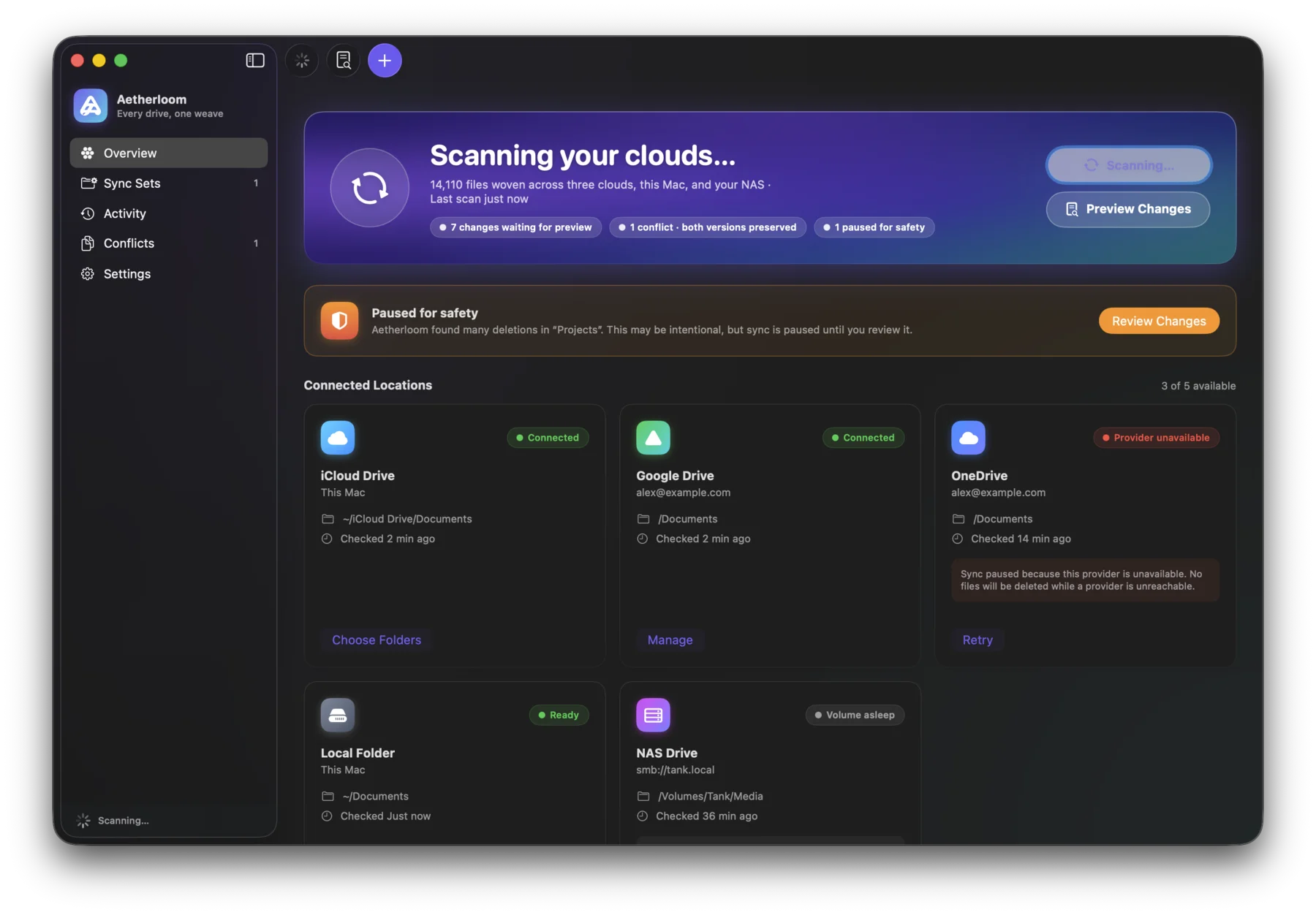
Sync tools shouldn't surprise you. Aetherloom shows its work before touching your files — and pauses for review when a change set looks suspicious.
During normal sync, deleted files move to each provider's trash or recycle bin where possible instead of being permanently removed.
A provider outage, an unmounted NAS, a sleeping volume, or a disconnected disk is treated as unavailability, not as deleted files.
When a file was edited independently in two places, nothing is overwritten. Both versions are preserved until you decide.
On Apple Silicon, an optional on-device model can suggest which conflict version to keep. It only advises; you decide.
A suspicious change set — like a mass deletion — pauses sync until you've reviewed exactly what would change.
Risky changes are shown as a sync plan first. Nothing is applied until you've seen what Aetherloom intends to do.
A look inside
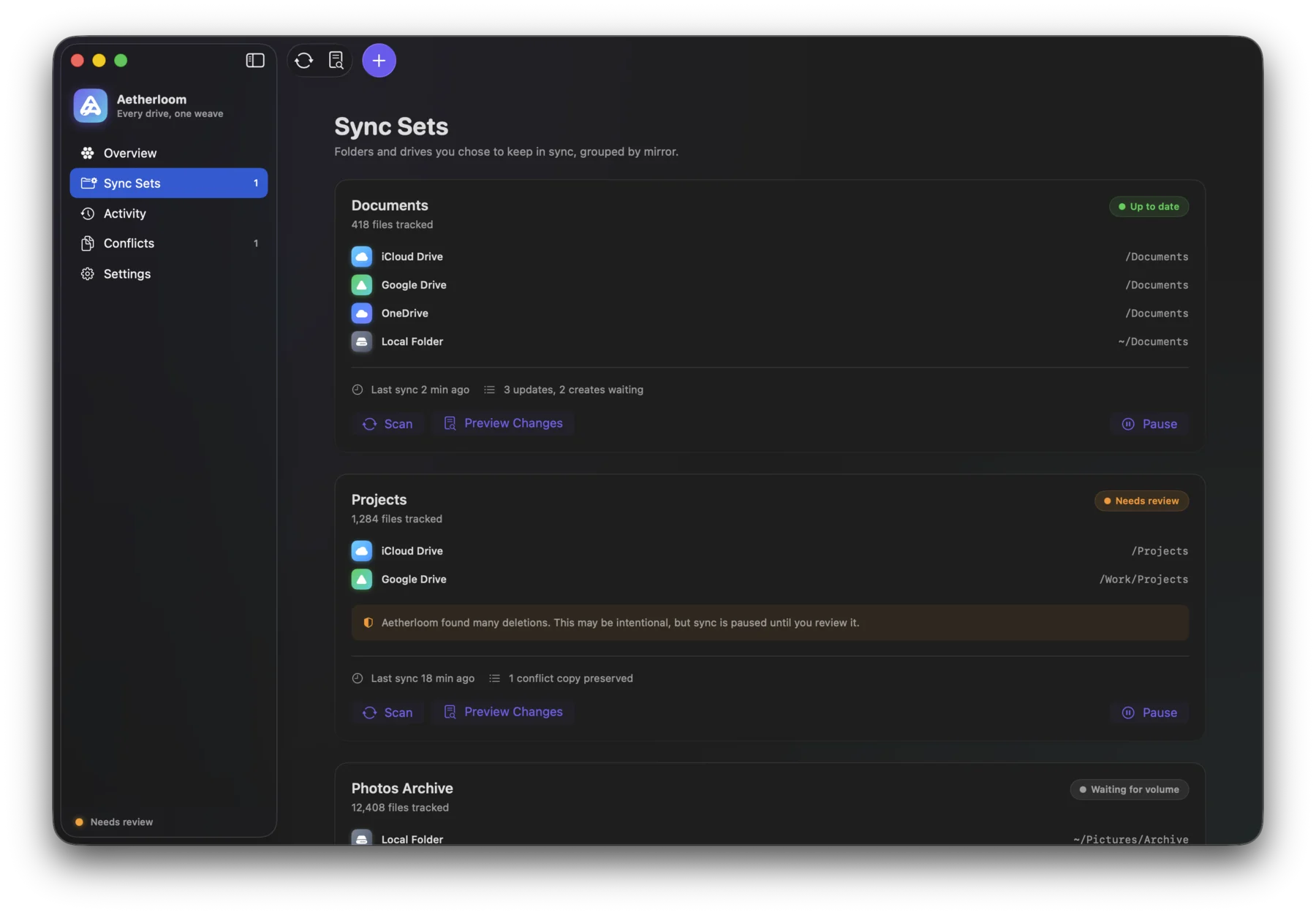
Sync Sets — Folders and drives you chose to keep in sync, grouped by mirror.
Local & NAS
A sync set that includes your Mac or NAS means a complete copy on hardware you own — plain files and folders you can open, move, or walk away with, no export required.
A mounted network share can disappear because the Mac slept, the network changed, credentials expired, or the NAS is temporarily unavailable. Aetherloom treats those states as provider unavailability — never as file deletion.
Deletes still follow the same philosophy: prefer trash, preserve conflicts, verify destination state before overwriting, and pause when the volume state is uncertain.
Current status
Aetherloom is still young, but the foundation is already taking shape: safe sync plans, conflict preservation, approval gates, and a provider-agnostic engine for keeping files aligned across the places you choose.
Follow the project →In progress Planned
iCloud Drive doesn't offer a general-purpose cloud file API like Google Drive or OneDrive. Aetherloom's iCloud support works through the local iCloud Drive folder on macOS.
Lose access to one location, and your files still live elsewhere as complete, readable copies. Aetherloom improves availability, but sync is not a replacement for versioned backup.
Architecture, product direction, review, and safety decisions are coordinated by a human developer while AI agents help implement and iterate on the codebase.